Write a five-beat conversation, build each state in the TikTok Chat Generator, export a PNG for every reveal, place the images on a 9:16 timeline in your video editor, and time each frame to the reading load.
Start with five beats, not a wall of messages
A chat story works when every new bubble changes the viewer’s understanding. Draft the conversation outside the generator first. Five beats are enough for many short videos: hook, context, complication, turn, and payoff.
| Beat | Job | Example |
|---|---|---|
| 1. Hook | Create an unanswered question | “Did the client approve the first cut?” |
| 2. Context | Name the immediate problem | “The opening still feels slow.” |
| 3. Complication | Challenge the current approach | “Try starting with the result.” |
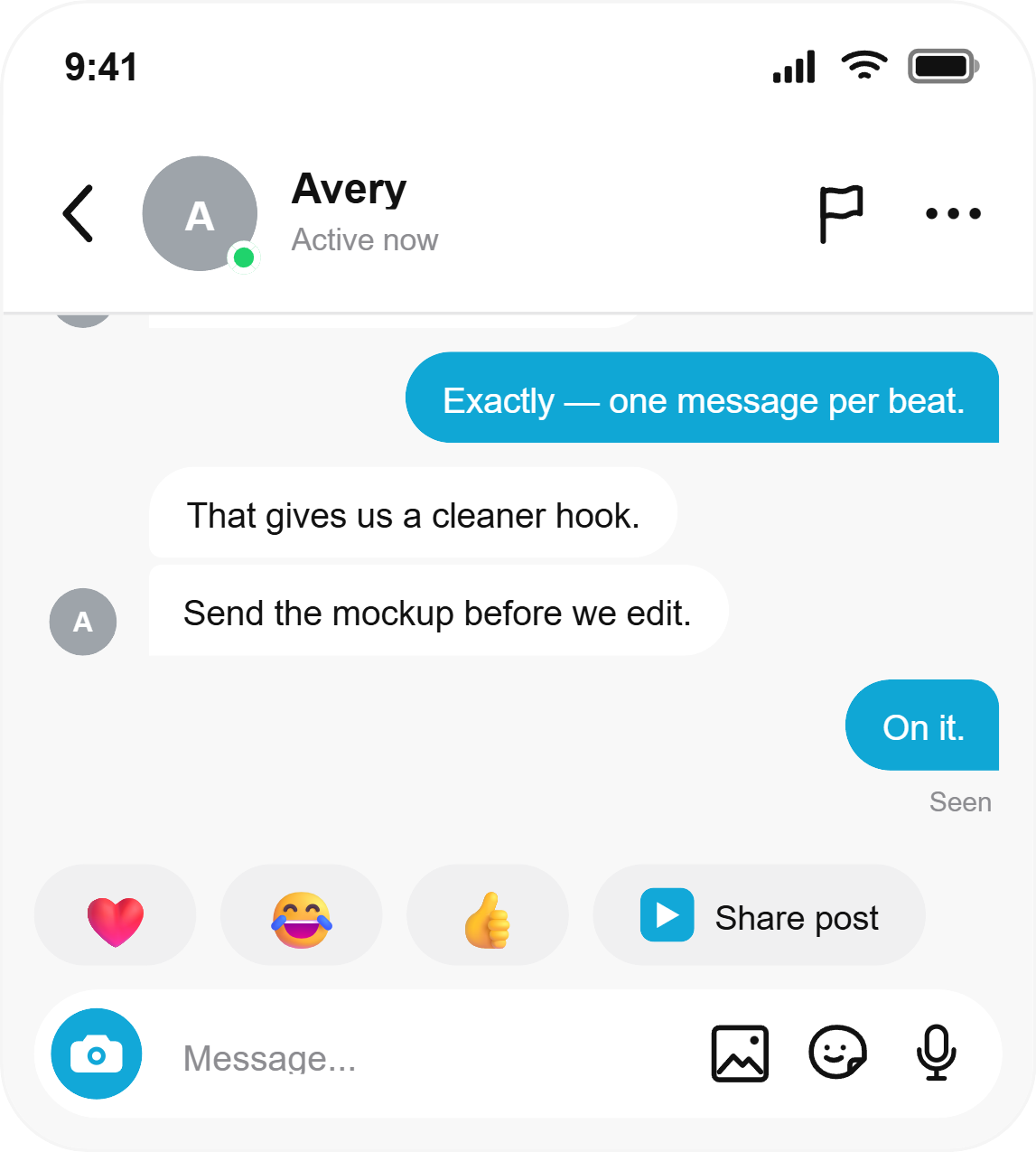
| 4. Turn | Reveal the useful idea | “One message per beat.” |
| 5. Payoff | Confirm the next action | “Send the mockup before we edit.” |
Build the video sequence
1. Choose the chat surface your audience recognizes
Use TikTok or Instagram for creator stories, WhatsApp for group or client exchanges, and iMessage for an Apple Messages look. The platform is a visual cue; the conversation still needs to work without the logo.
2. Keep one story beat per bubble
Break a long sentence where the meaning changes, not after an arbitrary number of words. Alternate speakers only when the turn adds tension or information.
3. Build the first visible state
Open the TikTok chat editor, set fictional participants, and enter only the messages viewers should see at the start. Check that the first bubble is not crowded against the crop.
4. Export a PNG after each reveal
Add the next message, export again, and repeat until the conversation is complete. The generator creates static PNG files, not a video or animation; the sequence is assembled afterward in a video editor.
5. Place the frames on a 9:16 timeline
Use a 1080 × 1920 project. Keep the phone screenshot away from interface overlays near the top, bottom, and right edge. A small scale-up or vertical move between frames can guide the eye without making the text unstable.
6. Time the edit for reading
Read every message aloud at a calm pace. Hold short reveals for roughly the spoken reading time, then give the final payoff an extra beat. If viewers need to pause, shorten the text before slowing the entire video.
Polish without hurting readability
- Use typing status sparingly. It can create a pause before the reveal, but it should not stay on every frame.
- Keep timestamps secondary. Add them only when elapsed time matters to the story.
- Use reactions as punctuation. One emoji can replace an extra response.
- Protect private data. A recreated fictional exchange is safer than blurring a real conversation poorly.
- Label dramatizations. If the scene could be mistaken for evidence, add “fictional,” “recreated,” or “concept” on screen.
Create each chat state as a PNG, then add motion, sound, captions, and timing in your preferred video editor.
Use a platform-specific guide when details matter
For delivery ticks, replies, and WhatsApp-style headers, follow the WhatsApp screenshot guide. For Apple’s blue and green bubble conventions, use the iMessage screenshot guide.
Frequently asked questions
Does the tool export a TikTok or Reels video?
No. It exports static PNG mockups that you can arrange and animate in a video editor.
How many messages should a short chat story have?
Start with five to eight bubbles. Add more only when every message changes the story.
Which aspect ratio should I use?
Use a 9:16 video timeline and position the exported phone frame inside its safe area.
Can I use a real conversation?
Only with appropriate permission and careful privacy review. A fictional recreation is usually easier to control and safer to publish.